


TripAdvisor's RCP (Review Collection Platform) is a suite of solutions that enables our hospitality partners to solicit and collect guest feedback to be published on TripAdvisor.com. This documentation focuses on the RCP widget.
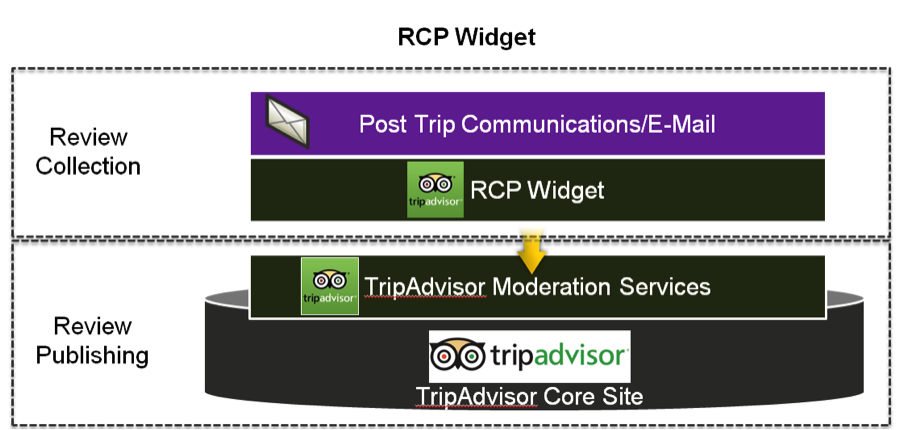
After the on-boarding process, TripAdvisor will provide the partner with a partner key and related rules for generating the URL of the review form widget. The widget is embedded within an iframe on the Partner's website for a seamless branding experience.
The default review form matches the (required) review questions available on the TripAdvisor site. The default review form widget is pictured below:
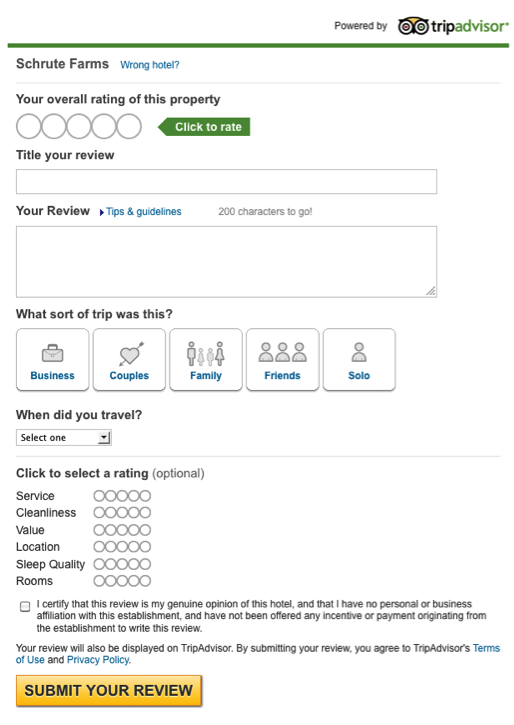
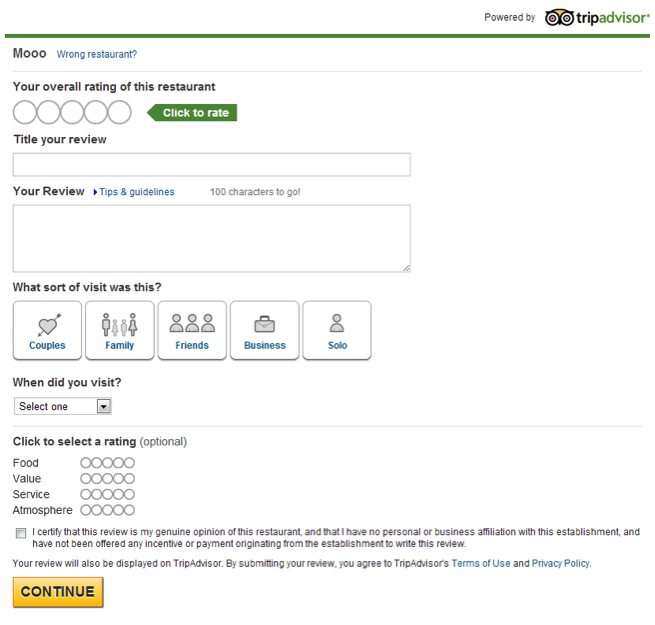
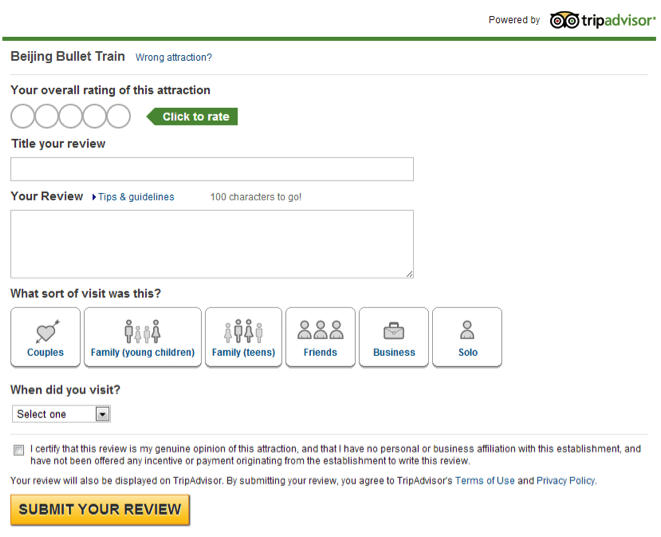
If the partner has mobile optimized GSS/webpages/paths, the RCP widget can be configured to serve up the mobile optimized version by adding one of the optional parameters in the widget url.
The allowMobile parameter will enable the widge to serve up the mobile optimized version if the user is on a mobile device, and serve up the desktop version if user is running desktop or desktop-like devices (i.e. tablets). If the allowMobile parameter is not included in the url, the widget will always serve up the desktop version regardless of device type. Most mobile optimized partners should use this option.
Suggested minimum width: 306px
The forceMobile=true parameter will force the widget to always serve up the mobile optimized version regardless of device type. This parameter should only be used for testing, as this will serve up the mobile optimized version of the widget even on desktop browsers.
Mobile Optimized Widget (Screenshot)
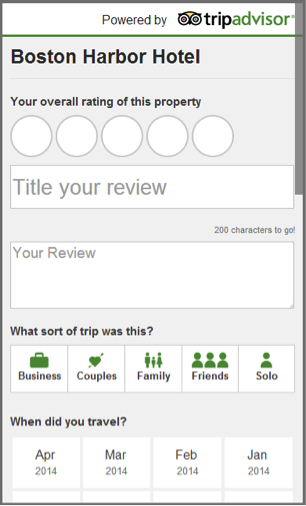
Partner will send post-trip emails inviting guests to write a review and these emails will link to a page on the Partner site with the widget embedded within an iframe.
Auto Registration
For self-registration widgets, the URL will look like this:
Required parameters only
https://www.tripadvisor.com/WidgetEmbed- collectreview?display=true&partnerId=PARTNER_KEY&locationId=12628
Required plus optional parameters (Hotel Partners)
https://www.tripadvisor.com/WidgetEmbed- collectreview?display=true&partnerId=PARTNER_KEY&locationId=123456&lang=en_US&stayMonth=3&stayYear=2013&overallRating=5&cleanlinessSubrating=5&locationSubrating=5&roomsSubrating=5&serviceSubrating=5&valueSubrating=5&sleepqualitySubrating=5&tripType=solo
Required plus optional parameters (Restaurant Partners)
https://www.tripadvisor.com/WidgetEmbed-collectreview?display=true&partnerId=PARTNER_KEY&locationId=123456&lang=en_US&stayMonth=3&stayYear=2013&overallRating=5&serviceSubrating=5&foodSubrating=5&valueSubrating=5&atmosphereSubrating=5tripType=solo
Required plus optional parameters (Attraction Partners)
https://www.tripadvisor.com/WidgetEmbed-collectreview?display=true&partnerId=PARTNER_KEY&locationId=123456&lang=en_US&stayMonth=3&stayYear=2013&overallRating=5&tripType=solo
Parameter definitions
|
Parameter |
Required? |
Description / Example |
| display=true | Yes | Indicates iframe display. |
| partnerId | Yes | A key assigned by TripAdvisor that will be unique to each partner. |
| locationId | Yes | The unique ID for the property for which the review is being written. Can be a TA ID or a Partner ID if the Partner’s IDs have been mapped to the TA ID database. |
| Lang | No | The locale string for the desired language with which to render the review form (if not included the widget defaults to en_US). |
| stayMonth | No | Used in combination with “stayyear” this parameter will pre-select on the user review form the date of the user’s stay at the property being reviewed. Month is 1-12, no leading zero. |
| stayYear | No | Year is the 4 digit year, with only the current and previous year being valid inputs. |
| tripType | No | Pre-populate the ‘What kind of trip was this?’ field, only accept one of the follow parameter values: solo, family, business, friends, couples. |
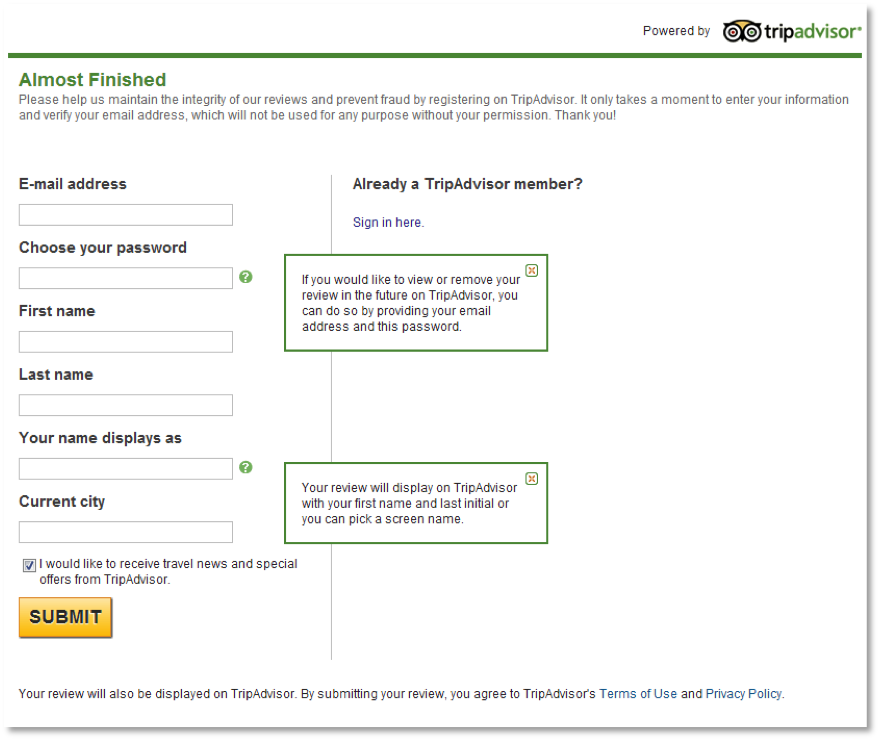
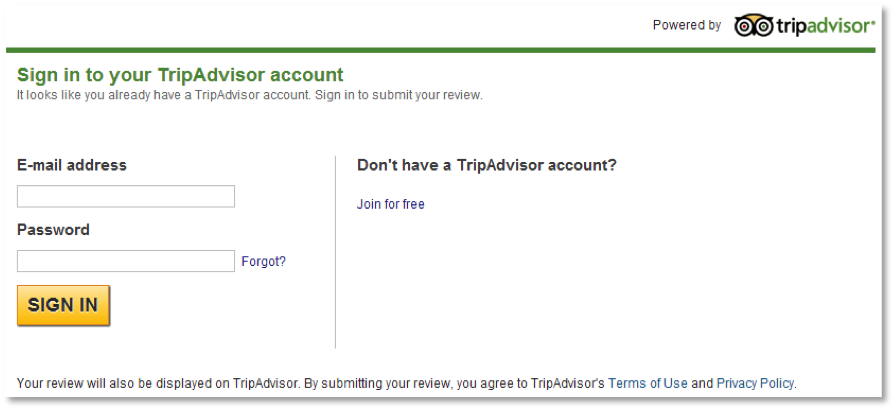
The self registration form, which appears after the user has submitted his/her review, appears below.
Create New Account:
Log Into Existing Account:
The URL used to invoke auto-registration widgets includes several sensitive data elements required to auto-create a TripAdvisor account, including the user’s email address, and therefore includes these data elements in an encoded data string. The URL will look like this:
https://rcp-demo.tripadvisor.com/WidgetEmbed-collectreview?locationId=89575&partnerId=PARTNER_KEY&display=true&data=6289d383b46df1c2e7f8fc12b2218a0f6c6f636174696f6e49643d383935373526656d61696c3d636368656e31323334407472697061647669736f722e636f6d26636974793d426f73746f6e2666697273744e616d653d436869266c6173744e616d653d4368656e26737461794d6f6e74683d312673746179596561723d32303134
On load, TripAdvisor will perform a check to see if the email passed in by the widget already exists in the TA member database. The logic for displaying the TA member info and user location fields is:
Parameter Definitions
Additional elements within the Data parameter:
| Parameter | Required? | Description / Example |
| display=true | Yes | Indicates iframe display. |
| partnerId | Yes | A key assigned by TripAdvisor that will be unique to each partner. |
| locationId | Yes | The Partner’s unique ID for the property for which the review is being written. TA will map this ID to a TA ID, using the partner key to indicate which mapping to use. |
| Lang | No | The locale string for the desired language/POS with which to render the review form. |
| tripType | No | Pre-populate the ‘What kind of trip was this?’ field, only accept one of the follow parameter values: solo, family, business, friends, couples. |
| Data | Yes | The encrypted data string contains all other required parameters and partner custom IDs. The string will incorporate the partner's secret key in the string. Example: email=someuser@partner.com&stayMonth=1&stayYear=2011&city=London&firstName=Jane&lastName=Smith& ItinId=54600913&BrandID=9&HotelLocation=York, UK&HotelName=Best Western Dean Court Hotel |
| Additional elements within the Data parameter: | ||
| Yes | Email address of the user. | |
| firstName | Yes | User's first name. |
| lastName | Yes | User's last name. |
| City | Yes | Hometown or billing city of the user. |
| stayMonth | No | Integer from 1-12 indicating the month of the user's stay (omit any leading 0s). |
| stayYear | No | Year of the user's stay. |