
The widget can either be forced into a given language via a URL parameter…


Or
A drop-down can be displayed within the widget which when clicked, will display a list of languages. This means the user can select in which language they wish to write the review, and the form will update accordingly.
In this case, partner will decide with their account manager on a “default” language to serve the widget, and the list of languages which will be included in the drop-down menu. If partner chooses to enable language drop-down then there is no need to include the language parameter in the URL.
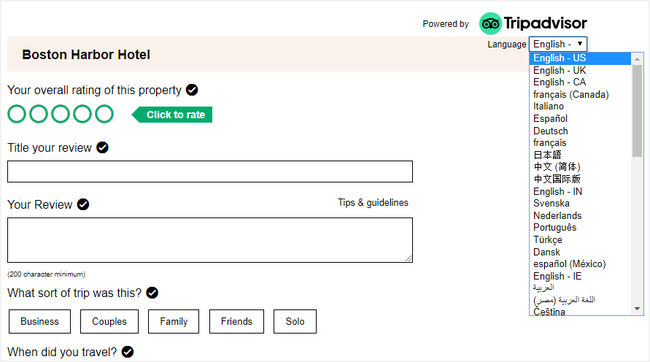
Please see https://developer-tripadvisor.com/partner/supported-languages/ for full list of available languages/parameters
You can choose to show or hide the sub-ratings (e.g. Service, Cleanliness, Value, Location, Sleep Quality, Rooms) on the review collection widget. If they are shown, these ratings are always optional for the guest to fill in. These ratings do not influence the pop index (ranking) in any way so it is solely down to partner preference on whether to include them or not.
It is possible to display “ghost text” in the “Your Review” box in the widget. This helps to give your guest a hint on what to write, and will disappear as soon as they click or tap in the box to start writing their review.
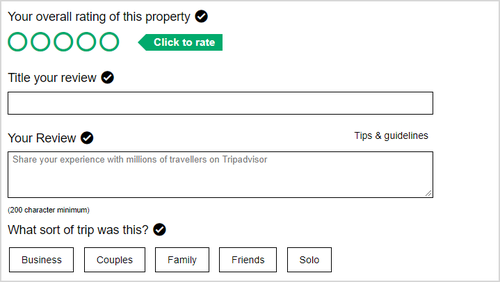
To take advantage of this feature, please supply the ghost text you wish to use (maximum 100 characters) and provide translations for any other enabled languages.
There is an optional Property Search configuration option for the widget.
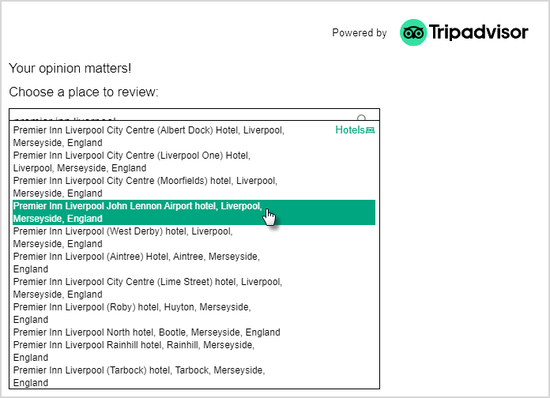
If this feature is enabled, when the widget is invoked with no location ID (see below), the form will load with a search box allowing the user to search for a property to review.
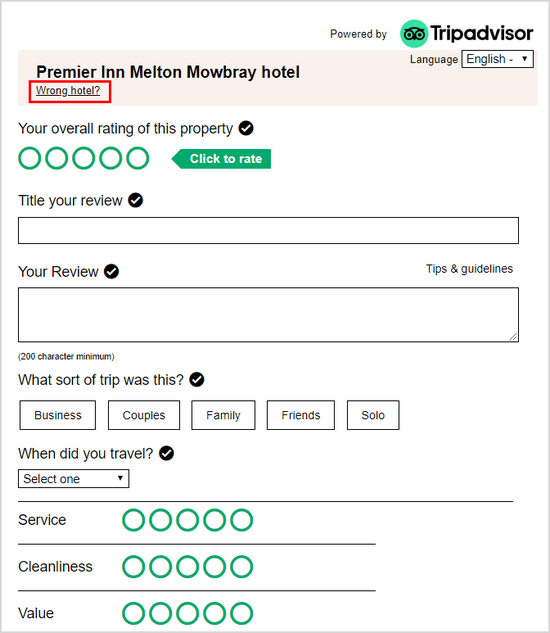
If the widget is invoked with a specific location ID, then a “Wrong property?” link will appear next to the property name allowing users to search for another location. Please note that if this is enabled, the guest will be able to search for ANY property on Tripadvisor. It cannot be restricted to a particular brand.
Default setting is for the user to be taken to a standard TripAdvisor “thank you” page.
Alternatively, partner may provide a URL and the guest will be redirected there after submitting their review.
The guest will also receive a “Thank you for your review” email from Tripadvisor. If you wish to co-brand this email with your logo, please provide it as per instructions in Appendix: Partner checklist. (Please note that this option is only available to B2C brands).
Once the guest’s review has been published, they will also receive an email notification from TripAdvisor to advise them of this.