These widgets provide a snapshot of the most highly recommended properties in a destination, including the hotels, restaurants, and attractions rated highest by Tripadvisor travelers.
For this widget, you may select the number and type(s) of top properties to include, and whether to include an overview tab and/or map tab. The overview tab includes a description of the destination, featured traveler photos, and recent rave reviews. The map tab shows top properties on a map of the destination. Users may click property names to see more details about a particular hotel, attraction or restaurant. Partners may also select a basic color option. These configuration settings will apply to all widget invocations. Each setting option is detailed in the following table:
|
Option Name |
Description |
|
Show Overview tab |
Include tab containing destination overview information. True/false. |
|
Show Stay tab |
Include tab containing list of top hotels for the destination. True/false. |
|
Show See tab |
Include tab containing list of top attractions for the destination. True/false. |
|
Show Eat tab |
Include tab containing list of top restaurants for the destination. True/false. |
|
Show Map tab |
Include tab showing the destination top properties on a map. True/false. |
|
Default Tab |
If more than one tab is included, which tab should be shown when the widget is loaded. Options are "Overview", "Hotels", "Attractions", "Restaurants" or "Map". |
|
Number of Properties |
Number of top properties to display in each tab. Either 5 or 10. |
|
Mapped Property IDs |
Whether to use a TripAdvisor partner property mapping to look up location IDs. Limits top hotel properties displayed in the widget to mapped properties only. True/false. |
|
Rave Review Title link |
Configuration of review title links on the Overview tab, if enabled. May open the Property Detail widget in a popup, or open the TA reviews page in a new window. |
|
Find Out More link |
Configuration of link at the bottom of the Overview tab, if enabled. May be disabled (no link), or open the TA destination page in a new window. |
|
Property Name link |
Configuration of property name links on the Hotels, Attractions, Restaurants and Map tabs, if enabled. By default it will open the Property Detail widget in a popup. May be configured to open the TA property detail page in a new window. |
|
Map See All link |
Configuration of link at the bottom of the Map tab, if enabled. May be disabled (no link), or open the TA Local Maps page in a new window to show all listings in a destination. |
|
Color Options |
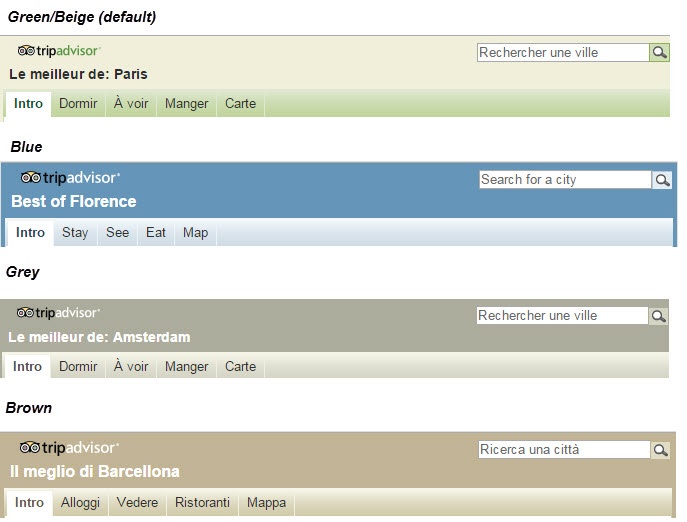
Partners may provide an iframe background color and may select one of the predefined color sets (blue, brown, grey, default). Color sets determine the color of the title bar, border and heading of the widget. Default is TripAdvisor green. Color set may be overridden by a URL parameter (see below). Partners may also provide an iframe background color (for areas of the iframe outside the widget, if any). |
|
Width |
Narrow (at least 300px) or wide (at least 468px) |
Partner widgets are intended to be displayed in an iframe on the partner site. A sample iframe with a widget invocation might look like:
<iframe src="http://www.tripadvisor.com/WidgetEmbed-cdsdestwide?display=true&
 partnerId=PARTNER_KEY& lang=en_US& locationId=224948"
width="240" height="510" scrolling="no" frameborder="0"
marginheight="0" marginwidth="0" style="vertical-align:top;"></iframe>
All widget URLs include the /WidgetEmbed Tripadvisor page followed by the key value for the widget being requested. This is followed by a question mark and the key/value pairs of URL parameters.
URL parameter settings are consistent across all widgets, and are defined in the following table:
|
Option Name |
Description |
|
partnerId |
Required. The partner key provided by Tripadvisor to allow partner access to widgets. |
|
locationId |
Required. This will be the ID of the destination requested. This value can be either a TA ID, or a partner ID if TA has done a mapping of partner destination IDs to TripAdvisor IDs. |
|
lang |
Optional. The language in which to display the widget. We also offer a zh_CN version of this widget that redirects to daodao.com |
|
colorSet |
Optional. Each partner will have a configured color setting. If this option is used, it will override the configured color settings for that partner. Supported values are: blue, grey, brown, default. ”Default" is green. |
Widget Configuration Variations
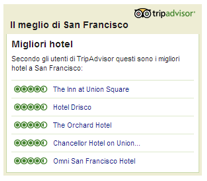
Top 5 properties for hotels only (Italian)
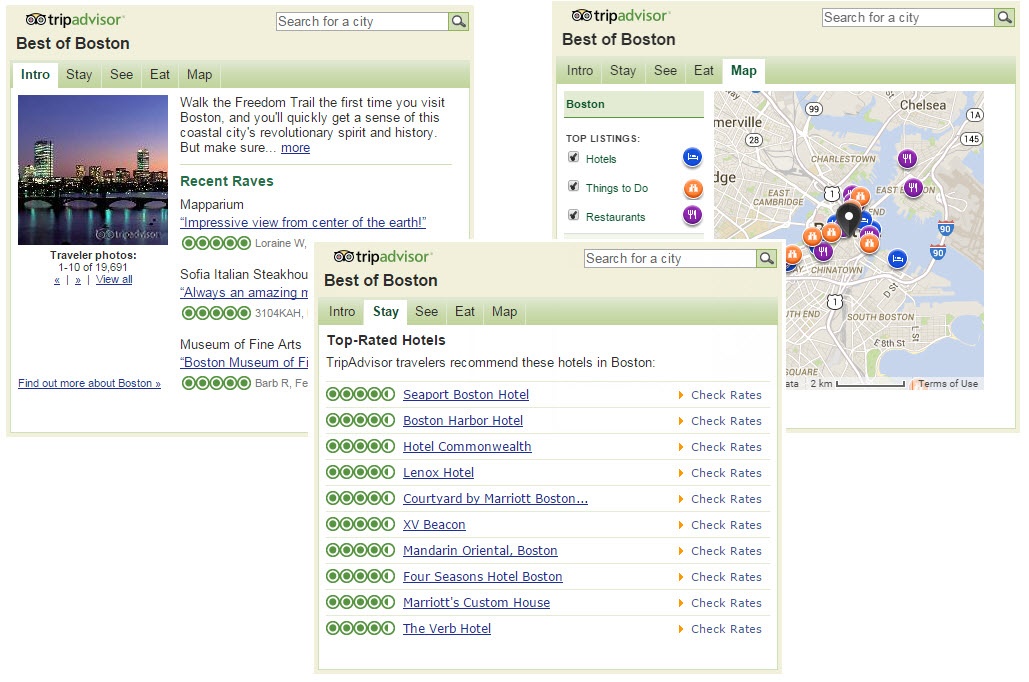
Destination overview, destination map and tabs for top 10 hotels, attractions, and restaurants (English)
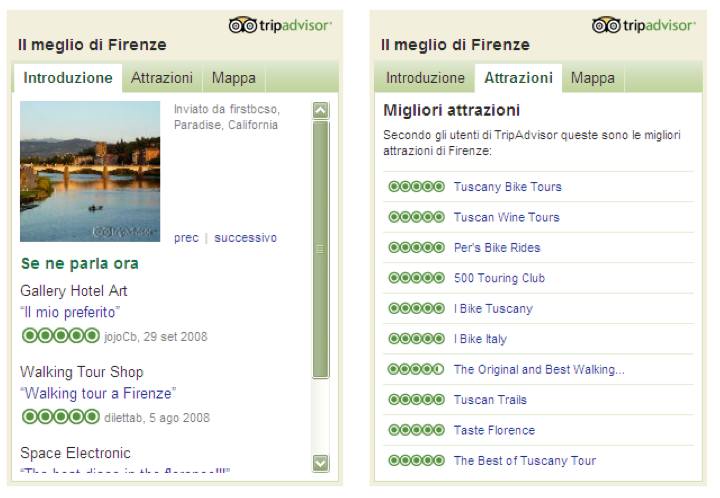
Introduction, Top 10 attractions, and map (Italian)
Clicking the name of one of the top properties will open a small pop-up which provides details about the property, such as its overall Tripadvisor rating, photos and recent traveler reviews.
Color options for this widget include the following: