This widget focuses on providing high-quality photos and review snippets for top-rated Hotels, Restaurants, and Attractions within a given geographic location. A partner may select city, state/province, and virtual regions that are listed on Tripadvisor (i.e. Tuscany, Provence). Consumers can scroll through photos and click over to Tripadvisor to view additional content. The minimum size for this widget is 300x400 pixels, with variable height.
For each point of interest (POI) mentioned, there is a title with link to Tripadvisor, photo, 2 recent review titles, and the overall bubble rating. There are many configurable options for the widget, such as restricting the point of interest shown (ex. show only Restaurants), restricting some or all POI types to a mapping, and the option to add a call to action button with a link to additional content on Tripadvisor or another widget.
Options described below are available in the Geo Highlights widget.
|
Configuration Option |
Description |
|
Points of Interest (POI) |
Select which points of interest are shown in the widget. Each POI will show an icon at the top of the widget. Choice of any or all of the following: Hotels (bed), Restaurants (knife & fork), and Attractions (binoculars). |
|
Default Icon |
If more than one icon is included, which icon should be selected when the widget loads? Default: Stay |
|
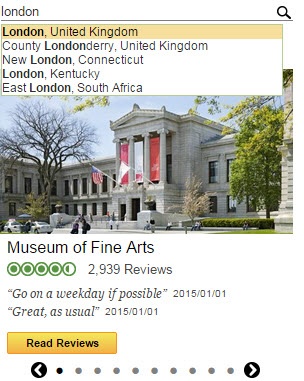
Search for new city |
Choice to feature a magnifying glass icon in upper right of widget. Clicking on this allows a user to search for a new city and reload the widget with the new location. |
|
Number of POIs to display |
How many points of interest are displayed per type? Choice of 5 or 10. |
|
CTA Button Copy |
Optional. Add a CTA button for to or all of the points of interest types. Hotels: Check Rates, Read Reviews, Learn More Restaurants: Find a Table, Read Reviews, Learn More Attractions: Read Reviews, Learn More |
|
Button Link Behavior |
Choice of what should happen when a user clicks on the button. Choice of linking to TA detail page or Property Detail Widget. You may choose a different function for each POI type. |
|
Headline |
Choose a headline for the widget, either: Best of {Geo}, or {Geo} Highlights |
|
Disable Headline link |
Whether or not to disable the link from the Headline to the /Tourism page |
|
Property Name Link |
Configuration of property name links for Hotels, Attractions, and Restaurants, if enabled. Choice of redirecting to Property Detail widget in a popup or to open the TA property detail page in a new window |
|
Use mapping to restrict POIs |
Whether to use a Tripadvisor partner property mapping to look up location IDs for Hotels, Restaurants, or Attractions. You may map any combination of listing types. |
|
Default Location |
If there is no content for a particular geo, define a fall back. |
|
Only show hotels with Check Rates |
If including the Check Rates button for a hotel, only show Accommodations that have Check Rates available. |
|
Border |
Should there be a border around the widget? |
|
Background color |
What color should the widget background be? Choice of transparent or white. |
Partner widgets are intended to be displayed in an iframe on the partner site. A sample iframe with a widget invocation might look like:
<iframe src="www.tripadvisor.com/WidgetEmbed-cdsgeohighlights?locationId=60713&partnerId=PARTNER_KEY&
lang=fr&display=true </iframe>
All widget URLs include the /WidgetEmbed Tripadvisor page followed by the key value for the widget being requested. This is followed by a question mark and the key/value pairs of URL parameters. URL parameter settings are consistent across all widgets. The following optional parameters apply to this widget:
|
Option Name |
Description |
|
partnerId |
Required. The partner key provided by Tripadvisor to allow partner access to widgets. |
|
locationId |
Optional. The Tripadvisor geo ID for the destination that should be loaded in the widget. If not included, it will load your default destination. |
|
lang |
Optional. The language in which to display the widget. Defaults to English if not included. |
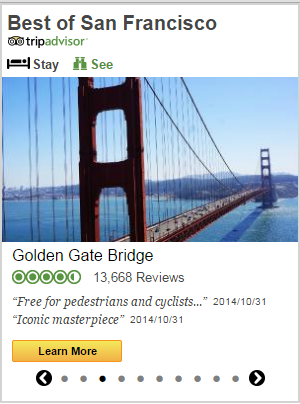
City geo displaying only Hotels and Attractions; Border; “Best Of” Headline.
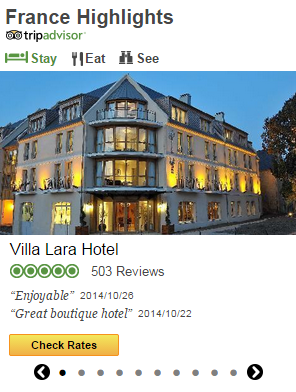
Country geo displaying all POIS with Check Rates button; No border; “Highlights” Headline.
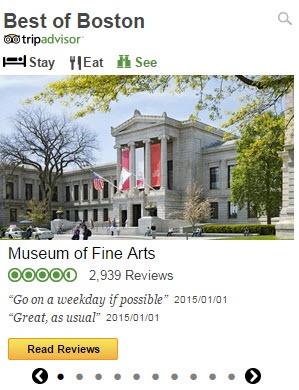
Search for a new city configuration
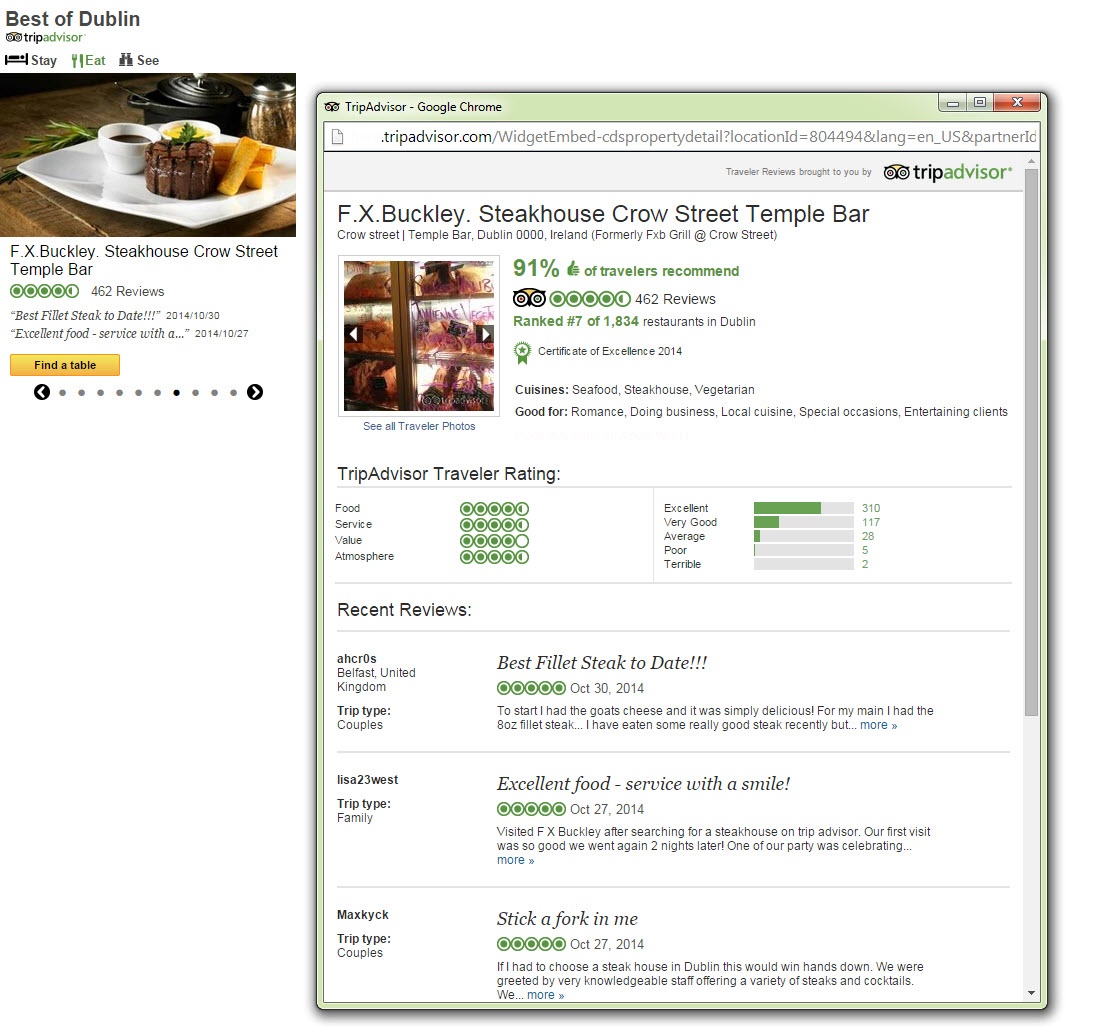
Restaurant with Property Detail widget Pop Up