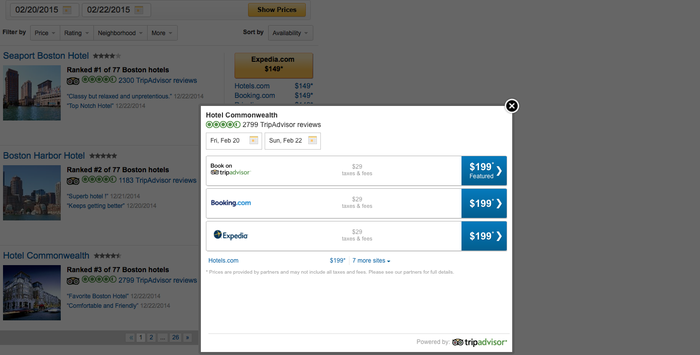
TripAdvisor Geo Meta widget details the pricing, availability, ratings, photos and reviews available for a given city. This widget functions and a replica of the /Hotels page on TA live site). Users can:
i. Hotel name
ii. Star rating
iii. Bubble rating
iv. TA rank
v. Review snippets
i. Price
ii. Traveler Rating
iii. Neighborhood
iv. Hotel Class
v. Amenities
Sort: Users will be able to sort the list by:
i. Pre-dates state:
1. Ranking (default)
2. Distance
ii. Post-dates state:
1. Availability (default)
2. Price (high to low)
3. Price (low to high)
4. Ranking
5. Distance
3. Pre-dates state: The Show Prices button will be displayed. Clicking on the button for the geo which will open up the calendar. Clicking on the Show Prices button for any hotel will bring up the Hotel widget.
4. Pagination (can be customized based on the iframe height on the partner site): The list of hotels will be displayed in a paginated format, with a minimum number of hotels per page (10) or as mutually decided by TA and the partner site
5. Switching geos: The geo widget will allow users the ability to switch geos with a city typeahead at the top
6. Height of the iframe: Customizable based on the partner need. This will also impact the number of hotels we show on a page
7. Language and currency: will be set by the partner POS
These configuration settings will apply to all widget invocations and are set up TripAdvisor. Each setting option is detailed in the following table:
| Option Name | Description |
| Width | Width of the iframe. Min: 706px |
| Height | Height of the iframe. Min: 348px |
| Font Color | Provider row text color. Default: #000000 |
| Font Type | Provider row text font. Default: Arial |
| Show All Providers | Show an "all providers" dropdown if they don't all fit into the initial display. Default: true |
| Show Hotel Name | Show the name of the hotel. Defualt: true |
| Enable Sorting |
Allow the user to change the result sorting criteria. Default: false |
| Enable Filtering |
Allow the user to filter the results by various criteria. Default: false |
| Enable Landing Page |
Allow the widget to be used with no specified location. A landing page with location/date input will be displayed. Default: false |
| Landing Page Title |
Set the title text for the landing page (only if landing page is enabled). Default: "Find hotels and compare prices from hundreds of travel sites" |
| Enable Typeahead |
Make the location editable and allow the user to change it. Default: false |
| Default Checking Offset Days |
If no dates are provided, assume check-in this many days ahead of today. Default: 1 |
| Default Stay Length |
If no dates are provided, assume a stay of this many nights. Default 2 |
Partner widgets are intended to be displayed in an iframe on the partner site. A sample iframe with a widget invocation might look like:
<iframe src=http://www.tripadvisor.com/WidgetEmbed-cdscustomhotels?&partnerId=PARTNER_KEY&checkIn=2015-10-28&checkOut=2015-10-28 &pageSize=3&locationId=60745&display=true&lang=en_US¤cy=USD”
Width=”400” height=”600”</iframe>
All widget URLs include the /WidgetEmbed Tripadvisor page followed by the key value for the widget being requested. This is followed by a question mark and the key/value pairs of URL parameters.
| Option Name | Description |
| locationID | Required. This will be the ID of the destination requested. This value can be either a TA ID, or a partner ID if TA has done a mapping of partner destination IDs to TripAdvisor IDs. |
| partnerID | Required. The partner key provided by Tripadvisor to allow partner access to widgets. |
| lang | Optional. The language in which to display the widget. |
| pageSize | Optional. You may choose how many Accomodations to show on a page. Default:10 |
| checkIn | Optional. Set the Check In Date on the widget. Default: 1 night from today |
| checkOut | Optional. Set the Check Out Date on th widget. Default: 2 nights from checkin |
| currency* | Optional. The currency shown to the user depends on their IP Country if it is not defined. |
*Currency is dependent on IP country.
1) Pre-specified geo state with Landing Page
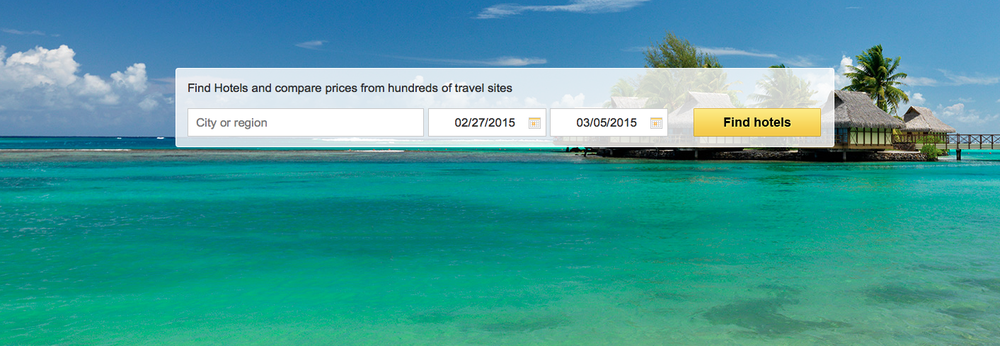
The background image is static but can be customized.
User enters the city/geo using the TA type-ahead. Entering dates is optional. Clicking on Find Hotels will take the user to the geo widget page.
Note: Both the above and the geo widget should be referenced in the same page. Navigating between pages isn’t possible with the current version of the widget.
2) Geo Widget: Pre Dates
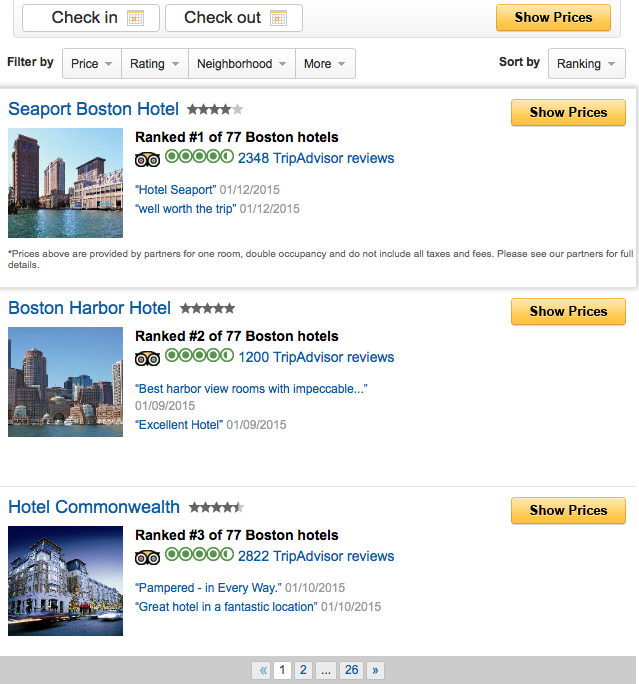
In pre-dates state, results are sorted by Ranking
Clicking on Show Prices button will open up the calendar against the Check-in field (see Example 3).
Clicking on the hotel name or the thumbnail image will open the reviews widget in an overlay.
3) Geo widget: Enter dates
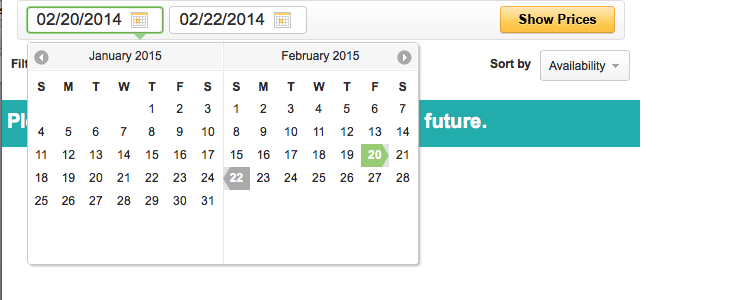
Upon entering check-in and check-out dates, prices will load on the widget (see example 4)
In post-dates state, results will be sorted by Availability
4) Geo Widget: Post Dates
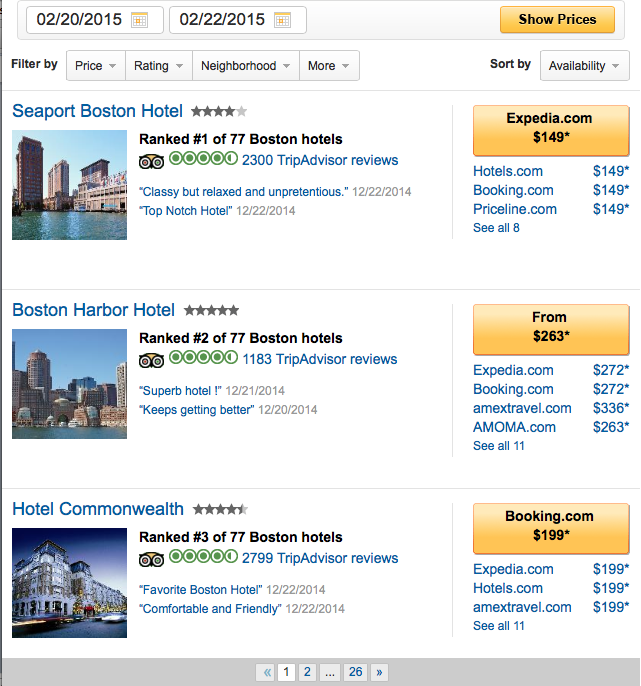
Clicking on any provider link or Chevron button will re-direct the user to the provider website
Clicking on “See all #” will open up the hotel widget (see next example) in an overlay
5) Geo Widget: "See all"